Wendy Labs
Offline Protocol and Wendy Labs have partnered to connect the robots and edge AI devices that run on WendyOS. Offline Protocol is an integration on WendyOS: boards discover each other, open encrypted sessions and call each other’s services directly, keep working when a link drops, and reach the phones around them over Bluetooth LE.
Offline Protocol is an integration on WendyOS
Offline Protocol and Wendy Labs have partnered to connect the devices that run on WendyOS. Offline Protocol is an integration on WendyOS: an app adds the SDK inside its own container, or runs the Offline Protocol service as one Wendy app per device, and deploys with wendy run like any other Wendy app.
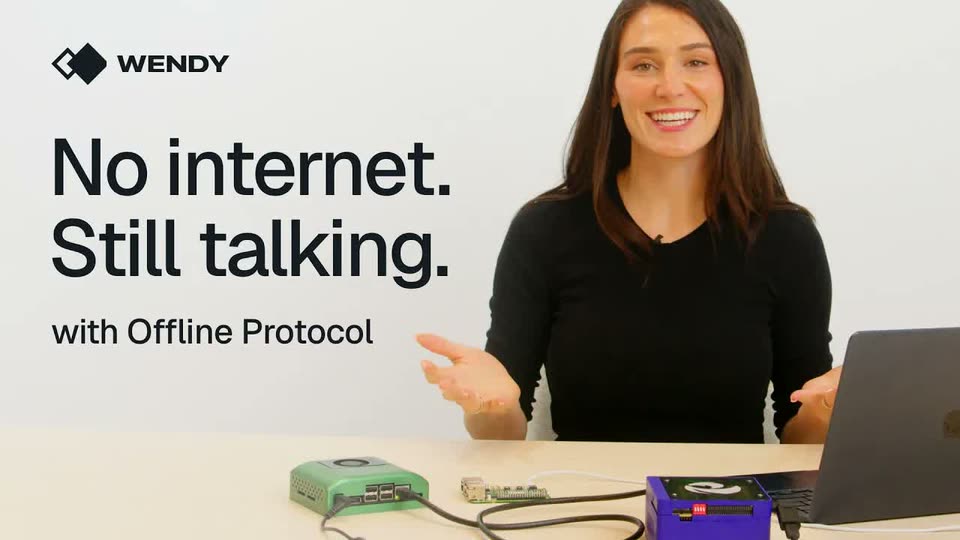
Wendy documents the integration on its own site, with a step-by-step tutorial and a video build that takes three boards from an empty folder to an encrypted fleet with no internet.
Wendy Labs and WendyOS
Wendy Labs builds the full stack for robotics and physical AI: an operating system, developer tools, simulation, and data and fleet management in Wendy Cloud. Its customers build robots, drones, edge AI devices and industrial systems, from first prototype to field deployment.
WendyOS is Wendy’s open source operating system for those devices. It runs on NVIDIA Jetson, Raspberry Pi and Qualcomm Dragonwing boards, and the Wendy agent also installs on Ubuntu and Apple Silicon Macs. The Wendy documentation covers installing it, the CLI and every guide.
What Offline Protocol gives WendyOS and its customers
- Local coordination between boards. Boards find each other on the local network with no address configured, and message and call each other directly, in about a second, with no cloud round trip.
- Identity and end-to-end encryption. Each board generates its own key and address, and every session and group is encrypted with MLS (RFC 9420), set up by the boards themselves.
- Store and forward. Messages for a board that is away are held on disk and delivered the moment it returns, with no retry code in the app.
- Relay. A board in the middle carries traffic between two boards that can’t reach each other, and can’t read what it carries.
- HTTP services between devices. Any app that makes an HTTP request can call a service on another device through the service’s HTTP front on loopback, from any language.
- Bluetooth LE and phones. Boards talk over Bluetooth LE through BlueZ with no network between them, and phones running an app on the SDK join with no Wi-Fi and no pairing.
- Groups, files and replicated documents. Encrypted group messaging, file transfer, and shared documents that every device edits locally and that merge cleanly after a network split.
What WendyOS gives Offline Protocol developers
- One command to deploy.
wendy runbuilds the app, sends a board only the image chunks it is missing, and restarts it, over USB-C, the local network or Wendy Cloud. One arm64 image runs on every board, and a build host can build once and deploy to several devices. - Containerised apps with entitlements. Each app lists what it needs in
wendy.json, such as host networking, Bluetooth, persistent storage, a GPU or a camera, and gets exactly that. The persistent volume keeps a board’s identity and held messages across deploys. - Updates over the air, with rollback. WendyOS writes each update to a second system partition and returns to the previous version by itself if the new one fails to boot or fails its checks.
- Fleet operations. Live logs and device health from every board with
wendy device logsandwendy device top, an OpenTelemetry endpoint for each app, and a fleet inventory and remote access through Wendy Cloud. - Device discovery and time sync.
wendy discoverfinds boards by name on the local network or over USB-C, andwendy device sync-timesets every board’s clock from a signed timestamp, so encrypted sessions form on a network with no time server. - Wendy Net. Wendy’s private network for an organization’s WendyOS devices, over Ethernet, Wi-Fi and Bluetooth. Offline Protocol runs inside the app alongside it, holding messages until they can be delivered and reaching devices that don’t run Wendy, such as the phone in a technician’s pocket.
Three boards, no internet
Wendy Labs built one Python app, about 100 lines on the Offline Protocol SDK 0.32, and deployed it with WendyOS to a Qualcomm Dragonwing IQ9, a Raspberry Pi 5 and an NVIDIA Jetson Orin Nano on a router with no internet. The boards found each other without being told where to look, opened MLS sessions on their own, held messages for the Jetson while it was unplugged and delivered every one when it came back, and relayed through the IQ9 when the Pi and the Jetson could only reach the board in the middle.
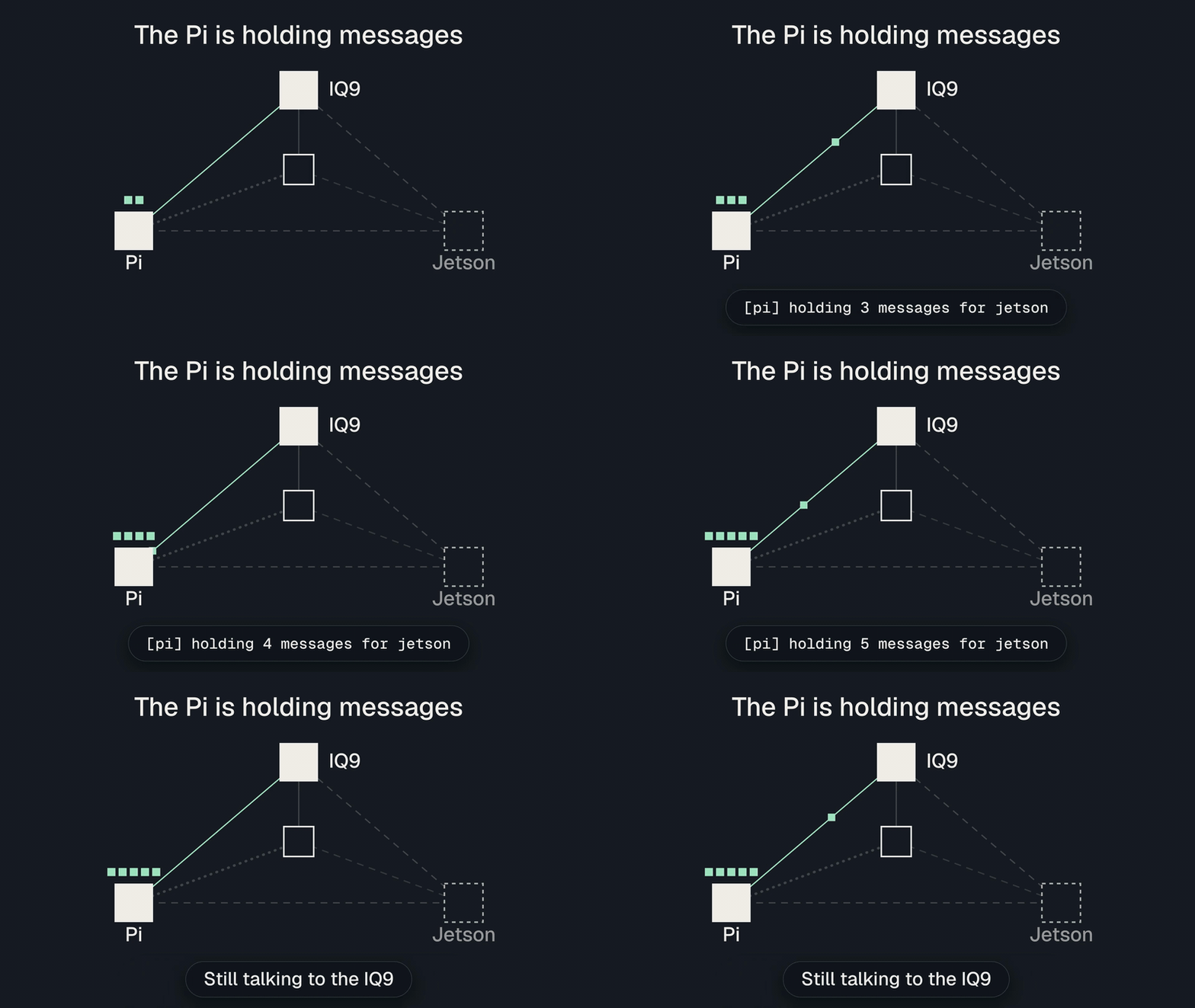
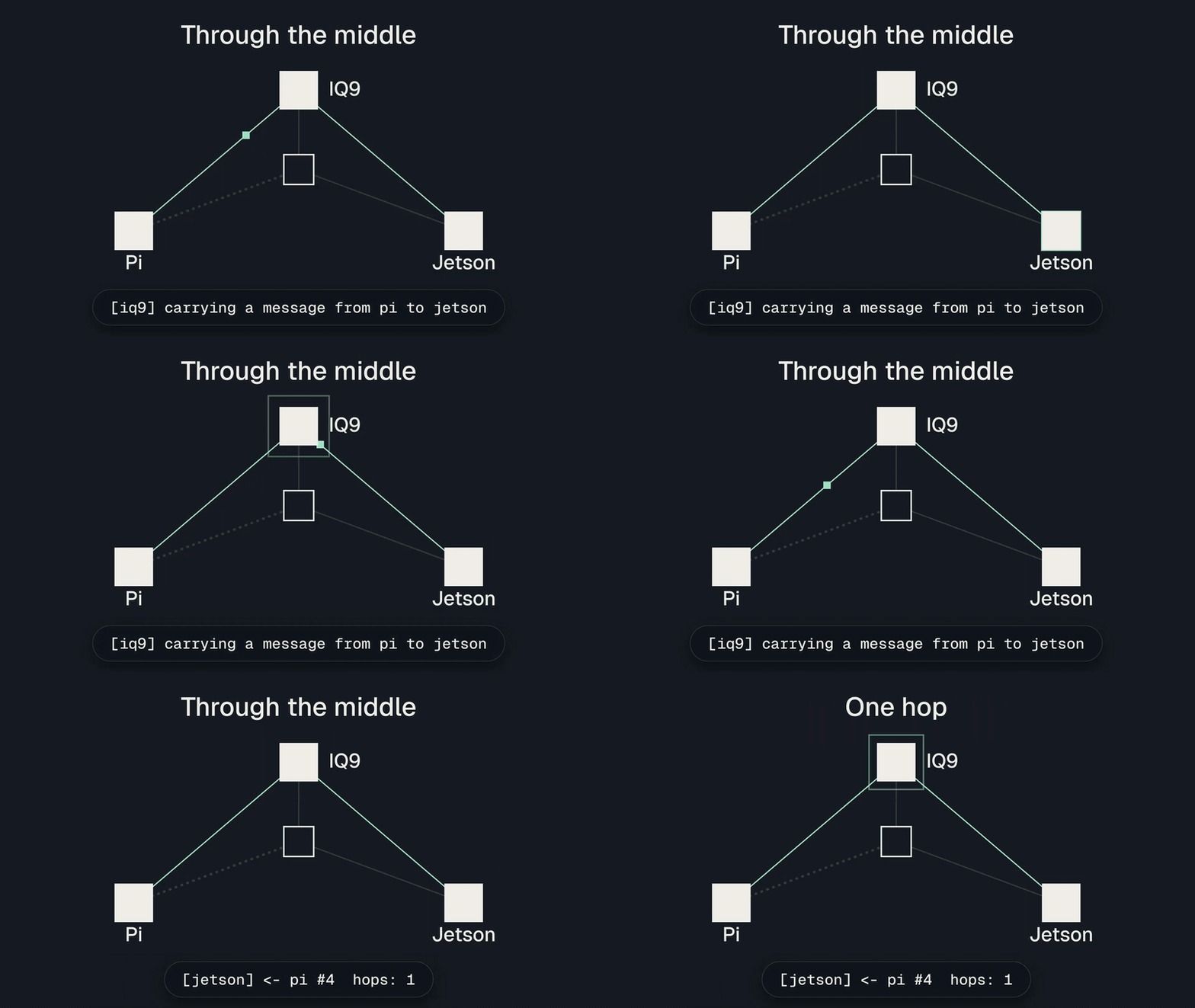
Read Wendy’s tutorial for the complete app, or our post on the build for each step as a clip.
What it means for you
- Robots, cameras and controllers on a site coordinate with each other directly, so work happens where the machines are, without a round trip through the cloud
- One internet uplink serves the whole site, instead of a data plan for every device
- When an uplink or a cable drops, the machines that can still reach each other keep working, and nothing addressed to a machine that is away is lost
- Coverage grows with the fleet, because every device can relay for the others
- Field crews check on and command the machine in front of them from a phone, over Bluetooth LE
- Existing services join the fleet through plain HTTP, so teams ship features instead of building a device network
How to get started
- Follow Wendy’s three-board tutorial or watch it built: three files and one
wendy runper board. - Read our Python and Linux guide for the configuration, the events and the local API, and set up your boards with the Wendy documentation.
- Go further with the Offline Protocol documentation: services over HTTP, Bluetooth LE and phones, groups, files and replicated documents.
Talk to us to scope an evaluation on your own fleet, one workflow with agreed criteria over 4 to 16 weeks, or see pricing and licensing.
WendyOS FAQ
How do robots and edge devices talk to each other without the internet?
Over a mesh they form themselves. Devices find each other on the local network or over Bluetooth LE, open MLS-encrypted sessions, and relay for each other when two of them are out of range, so a site keeps coordinating with no cloud and no broker. See robotics and autonomy.
Can a phone talk to a robot or an edge box directly?
Yes. A phone running an app built on the SDK reaches a WendyOS device over Bluetooth LE, with no Wi-Fi, no pairing and no account. The same app keeps working between phones when there is no device nearby. See the demo apps.
Can my existing services call each other across devices?
Yes. The Offline Protocol service includes an HTTP front on each device’s loopback, so any app that makes an HTTP request can call a service on another device, end-to-end encrypted, from any language. How the HTTP front works.
Which languages can I build in?
Python, Rust, Java and C on the device, and React Native, Swift, Kotlin and Flutter on phones, all over one engine, so a robot and a technician’s phone run the same protocol. Read the developer docs.
How is Offline Protocol licensed for a product on WendyOS?
The mesh SDK is free under AGPL-3.0-only when your product meets its obligations. A proprietary app, closed firmware or hardware you sell takes the commercial license. See pricing and licensing.